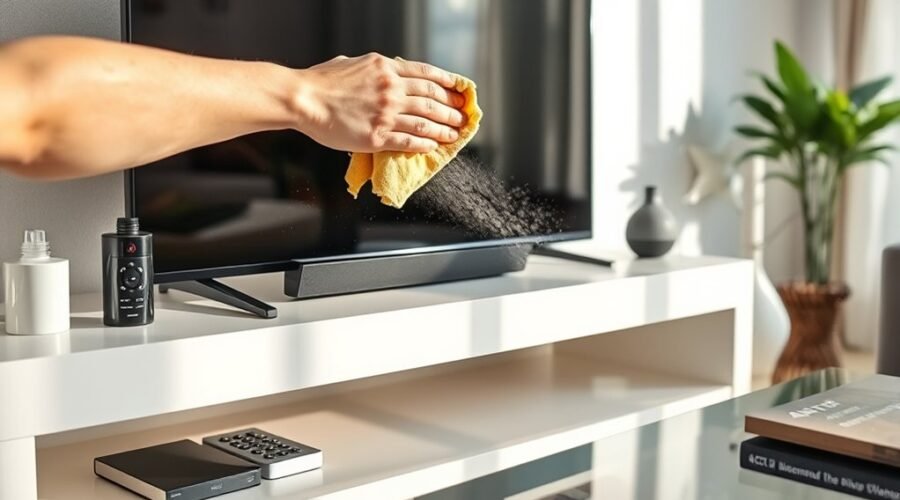
To dust electronics on a TV stand without encouraging static or damaging delicate surfaces, turn the equipment off, unplug it, and let warm devices cool. Remove loose dust with a clean, dry microfiber cloth using very light pressure. Use moisture only for marks that will not come off dry, and apply it to the cloth rather than directly to the equipment. Always follow the TV or device manufacturer’s cleaning instructions because screen coatings and approved cleaners vary by model.
Quick Answer
Power off and unplug the TV and other electronics, then remove dust with a clean, dry microfiber cloth. Keep pressure light, never spray liquid directly on a screen or device, and use only the moisture or cleaner allowed by the manufacturer. Moderate room humidity can reduce static buildup, but it does not eliminate electrostatic charge.
Key Takeaways
- Use a clean, soft microfiber cloth and start with a completely dry cleaning method.
- Unplug electronics before cleaning and never spray water or cleaner directly onto a TV or other device.
- Use only manufacturer-approved moisture or cleaners on coated TV screens.
- Moderate indoor humidity can reduce charge accumulation, but humidity is not a complete anti-static solution.
- Clean the stand, floor, cable area, and nearby dust sources so particles do not immediately settle back onto the electronics.
At a Glance
| Time Required | About 10–20 minutes for a typical TV stand setup |
| Difficulty | Easy |
| Tools Needed | Two clean microfiber cloths; optional soft-brush vacuum attachment for the surrounding stand and floor |
| Cost | Usually $0–$15 if basic cleaning supplies are already available |
Warning: Never spray water, anti-static spray, glass cleaner, or another liquid directly onto a TV or electronic device. Liquid can enter seams, vents, ports, or the panel. Follow the cleaning instructions for your exact TV or device before using anything other than a dry microfiber cloth.
Why Static Builds Up on TV Stands
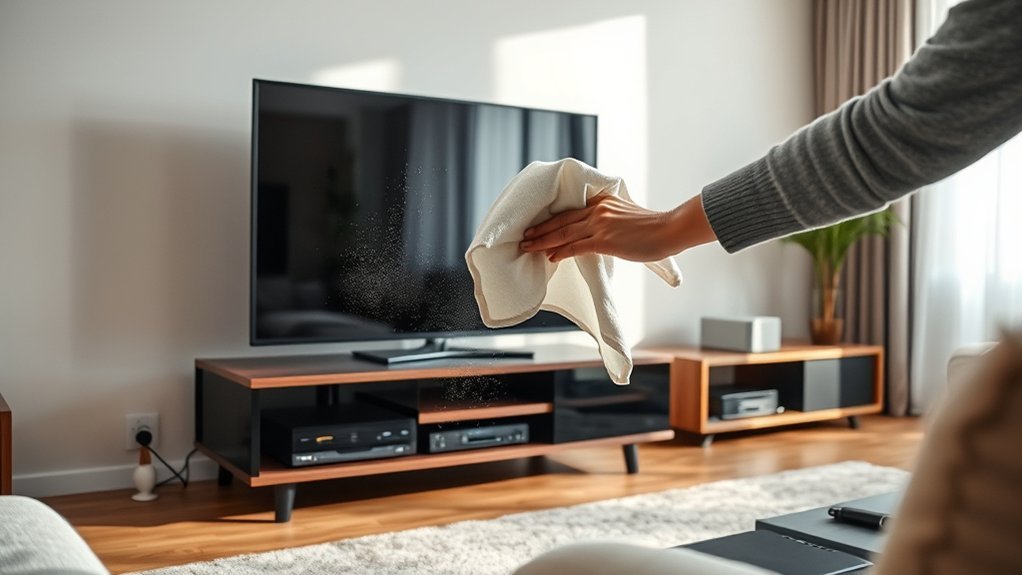
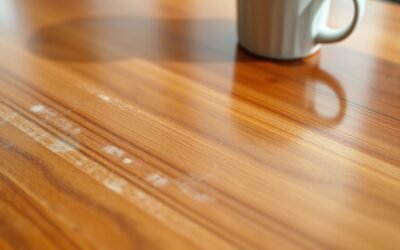
Static electricity can develop when different materials contact and separate. Walking across carpet, moving synthetic fabrics, handling plastic cables, and sliding objects across furniture can all contribute to charge buildup.
Relative humidity also affects how long charge remains on surfaces. The EOS/ESD Association explains that higher humidity can help reduce charge accumulation, but humidity alone is not a complete ESD-control method.
Dry indoor conditions therefore deserve attention, but there is no need to make the room excessively humid. The U.S. Environmental Protection Agency recommends keeping indoor relative humidity generally between 30% and 50% for indoor-air and moisture control.
Humidity can reduce electrostatic charge accumulation, but it should be treated as a supporting measure rather than a guarantee that static discharge cannot occur.
The practical goal around a TV stand is simple: avoid unnecessary friction, keep the area reasonably clean, use gentle cleaning materials, and avoid touching exposed connectors or internal components.
What You Need to Dust a TV Stand
Most TV-stand cleaning does not require specialty chemicals. A few simple tools are usually enough:
- One clean, dry microfiber cloth for the TV screen and delicate electronics.
- A second microfiber cloth for the TV stand and less delicate exterior surfaces.
- Distilled or plain water only when the device manufacturer permits a slightly damp cloth.
- An optional vacuum with a soft brush or crevice attachment for the floor, shelf edges, and gaps around equipment.
- An optional anti-static product for compatible furniture or equipment surfaces when its label and the device manufacturer specifically permit it.
Microfiber Cloths
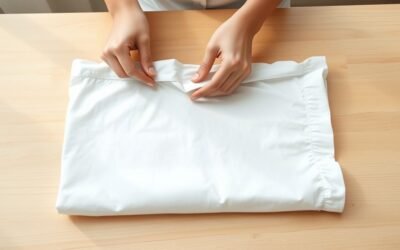
A soft microfiber cloth is the best starting point for routine dusting because it lifts loose particles while reducing the scratching risk associated with paper towels, rough rags, and abrasive pads.
Samsung, LG, and Sony all recommend microfiber or similarly soft lint-free cloths for routine TV care. That does not mean every microfiber cloth is literally “static-free.” Its main advantages are softness, low lint, and effective dust pickup.
Use a dedicated clean cloth on the screen. Dirt, grit, furniture polish, fabric softener residue, or cleaning chemicals left in a reused cloth can transfer to the display or scratch a delicate coating.
Wash reusable microfiber according to its care label and avoid fabric softener when possible because it can coat the fibers and reduce their cleaning performance.
Static-Free Spray
An anti-static spray can be useful on some compatible furniture surfaces, but it should not automatically be treated as TV-screen cleaner. Screen coatings vary substantially by manufacturer and model.
If a product is approved for a particular electronic exterior, apply it according to its label—normally to the cloth rather than directly onto the equipment. Keep liquid away from vents, ports, buttons, seams, speakers, power strips, and cable connectors.
Note: “Safe for electronics” does not necessarily mean “safe for every TV screen.” Anti-glare, OLED, matte, and other coated panels may have different cleaning requirements.
Vacuum Attachments
A vacuum can help with dust around the TV stand, behind components, along shelf edges, and on the surrounding floor. A soft brush attachment is useful on sturdy furniture surfaces, while a crevice tool can collect debris from gaps that are difficult to reach with a cloth.
Use low or moderate suction around lightweight cables and small accessories. Do not press a vacuum nozzle against the TV screen, force attachments into ventilation openings, or probe inside electronic equipment.
If the device manufacturer gives specific instructions for cleaning vents, follow those instructions instead of improvising.
Power Off and Unplug Your Electronics
Turn off the TV, game console, streaming box, receiver, and other equipment before cleaning. Unplug devices when their manufacturer’s cleaning instructions call for it. Samsung, LG, and Sony all instruct users to power down or unplug TVs before routine screen cleaning.
| Action | Why It Helps |
| Power off | Stops normal operation and makes fingerprints easier to see on a dark screen. |
| Unplug when instructed | Reduces electrical risk while cleaning around the device. |
| Let warm equipment cool | Makes handling more comfortable and avoids cleaning a hot surface. |
| Reconnect only when dry | Prevents residual moisture from being present when power is restored. |
There is no need to disconnect every cable simply for routine exterior dusting. If you do unplug HDMI, power, speaker, or networking cables, photograph or label the connections first so they return to the correct ports.
How to Dust a TV With a Microfiber Cloth
Use this dry-first process for routine TV dusting:
- Turn the TV off and unplug it according to the manufacturer’s cleaning instructions.
- Allow the screen to cool if it has been running for a long time.
- Check the microfiber cloth for grit, dirt, or dried cleaner.
- Support the TV if necessary so it does not move while you wipe it.
- Use very light strokes to lift loose dust from the screen.
- Dust the bezel, base, and accessible exterior surfaces separately.
- If fingerprints remain, follow the manufacturer-approved damp-cleaning procedure for your model.
- Allow any cleaned surface to dry completely before reconnecting power.
Pro Tip: Fold the microfiber cloth into quarters. When one face becomes dusty, rotate to a clean face instead of continuing to drag collected particles across the screen.
Do not scrub a stubborn spot aggressively. Excess pressure can damage a display even when the cloth itself is soft.
How to Clean a TV Screen Safely
The safest general rule is to start dry and follow the instructions for the exact TV. Current Samsung TV cleaning guidance, LG guidance, and Sony guidance all emphasize gentle microfiber cleaning and caution against direct liquid application.
Turn Off and Unplug
Power down the television before cleaning. If the manufacturer instructs you to unplug it, disconnect the power cord and let the screen cool before touching it.
A dark screen also makes fingerprints, streaks, and settled dust easier to see, which reduces the temptation to keep wiping an area that is already clean.
Use Microfiber Gently
Start with a clean, dry microfiber cloth. Wipe with light pressure rather than pressing your fingertips through the cloth into the panel.
If dry wiping does not remove a mark, consult the TV manual or manufacturer support page. Many models permit a cloth that has been only slightly dampened with water, while specialty coatings can have more specific requirements.
If moisture is permitted:
- Apply a very small amount of water to the cloth, not the screen.
- Wring the cloth until it is barely damp.
- Wipe gently without allowing liquid to run toward the bottom edge.
- Finish with a clean dry microfiber cloth if the instructions permit.
- Let the screen dry completely before restoring power.
Avoid Harsh Cleaners
Do not assume ordinary household glass cleaner is safe for a television. Ammonia, solvents, abrasive cleaners, waxes, and other chemicals can damage certain screen coatings.
Manufacturer recommendations are not identical across every model or region, so the exact TV instructions should take priority over generic cleaning recipes. Do not substitute vinegar, dish soap, rubbing alcohol, or another household cleaner unless the manufacturer of that specific screen approves it.
When to Use a Damp Cloth
A slightly damp cloth is useful when a dry microfiber cloth cannot remove fingerprints, dried spots, or other light residue and the manufacturer permits moisture.
The cloth should be barely damp rather than wet. Liquid should never drip, run down the screen, or collect around buttons, speaker openings, ventilation slots, ports, seams, or electrical connections.
- Try a dry microfiber cloth first.
- Check the TV or device cleaning instructions.
- If allowed, lightly dampen the cloth rather than the equipment.
- Wipe gently with minimal pressure.
- Dry the surface and wait until no moisture remains before reconnecting power.
For the TV stand itself, the correct damp-cleaning method depends on whether the furniture is finished wood, laminate, painted material, metal, or glass. Follow the furniture manufacturer’s care directions and keep furniture cleaner away from the electronics.
How to Dust Vents and Cables Safely
Dust can collect around ventilation openings, cable bundles, power strips, and the rear edge of a TV stand. Clean these areas gently instead of pushing a tool inside the device.
Use a dry microfiber cloth on accessible cable jackets and exterior surfaces. For the stand and surrounding floor, a vacuum with a suitable attachment can collect particles that would otherwise resettle.
Do not insert a brush, vacuum attachment, cotton swab, or other object deep into a TV, console, receiver, speaker, or computer vent unless the manufacturer specifically instructs you to do so. Also avoid blasting canned air into a device without checking its service guidance, because airflow can move debris deeper into the enclosure.
Keep cables organized without pulling them tight. Simple routing reduces tangles and makes the area easier to clean, but it does not need to be packed into a bundle so dense that equipment ventilation is affected.
How to Remove Fingerprints From Glossy Surfaces
Start with a clean dry microfiber cloth on glossy bezels and compatible furniture surfaces. Light buffing is often enough to remove fingerprints.
For residue that remains, identify the material before introducing moisture. Glass shelving, painted finishes, laminate, plastic, finished wood, and TV display panels can all require different cleaners.
- Remove loose dust first so grit is not rubbed across the finish.
- Use light pressure with a clean microfiber cloth.
- Apply moisture only if the surface manufacturer allows it.
- Put any approved cleaner on the cloth rather than near electronic openings.
- Dry the area before replacing equipment or reconnecting power.
Paper towels and abrasive pads are poor choices for delicate glossy finishes because they can leave lint or create fine scratches.
How to Reduce Dust Buildup
Dust cannot be eliminated completely, but controlling airborne particles and routinely cleaning the surrounding area can slow visible buildup.
Use an Air Purifier
A properly sized room air cleaner can capture airborne particles before some of them settle on furniture and electronics. Choose a unit appropriate for the room and maintain its filters according to the manufacturer’s schedule.
An air purifier should supplement—not replace—surface cleaning. Dust also comes from textiles, skin, outdoor air, pets, and particles already resting on floors and furniture.
Vacuum Weekly
Vacuuming the floor and area around a TV stand regularly can reduce the reservoir of dust available to resettle. The EPA notes that vacuums equipped with HEPA filtration can help reduce dust buildup by keeping some collected particles from escaping back into the air.
Weekly cleaning is a useful starting point in many homes, but there is no universal schedule. Homes with pets, open windows, nearby construction, heavy textile use, or high foot traffic may need more frequent cleaning, while other rooms may need less.
Choose Dust-Friendly Materials
The color of a TV stand changes how noticeable dust looks more than how much dust actually lands on it. Black glass and dark glossy finishes often make light-colored dust, fingerprints, and smears highly visible, while lighter or patterned finishes can conceal them.
Smooth, easy-to-wipe surfaces may make routine cleaning faster. Glass can be simple to wipe but shows fingerprints readily. Textured surfaces can hide marks but may hold dust in grooves.
Choose a finish based on cleanability, durability, and appearance rather than expecting a particular color or material to prevent dust.
Common Static-Dusting Mistakes to Avoid
- Cleaning while equipment is powered: Turn off and unplug equipment when the manufacturer instructs you to do so.
- Spraying the screen directly: Liquid can run into seams or internal components.
- Assuming all screen cleaners are universal: Display coatings differ by model.
- Using paper towels or abrasive pads: These can scratch delicate surfaces or damage coatings.
- Using excessive pressure: A soft cloth cannot protect a panel from hard pressing.
- Using furniture polish near electronics: Overspray and residue can reach screens, ports, and vents.
- Relying on humidity alone for static control: Moderate humidity can help reduce charge accumulation but cannot guarantee that electrostatic discharge will not occur.
- Trying to ground consumer electronics yourself: Do not add improvised grounding wires or modify power connections as a dust-control technique.
- Cleaning with a dirty microfiber cloth: Trapped grit can be dragged across delicate surfaces.
- Forcing tools into vents: Clean accessible exterior areas only unless the manufacturer provides a specific internal-cleaning procedure.
If static seems unusually persistent, check whether the room is extremely dry, reduce unnecessary friction from synthetic dusters, and keep the surrounding floor and furniture clean. For normal household TV cleaning, careful surface cleaning is preferable to attempting professional-style ESD modifications.
Frequently Asked Questions
What is the best way to dust electronics?
Turn the equipment off, unplug it when the manufacturer recommends doing so, and use a clean, dry microfiber cloth on accessible exterior surfaces. Start without cleaner or water. If a stubborn mark remains, use only the moisture or cleaning method approved for that particular device.
What is Grandma’s simple trick to eliminate dust?
Water-and-vinegar mixtures are common household-cleaning recipes, but they are not a universal solution for electronics. Do not use vinegar on a TV screen unless the manufacturer specifically approves it. For televisions and other delicate electronics, a clean dry microfiber cloth is the safer starting point.
Does dust damage electronics?
Heavy dust buildup can obstruct ventilation and contribute to higher operating temperatures in equipment that depends on airflow. Keeping vents and surrounding areas reasonably clean supports normal cooling. Avoid opening equipment or probing inside vents unless the manufacturer provides instructions for doing so.
Why do TVs collect so much dust?
Dust settles because of normal airborne particles, gravity, airflow around electronics, and electrostatic attraction. Dark, glossy screens also make light-colored dust much easier to see than many other household surfaces.
Can I use rubbing alcohol on a TV screen?
Do not assume rubbing alcohol is safe for your TV. Some display coatings can be damaged by alcohol or other solvents, while a manufacturer may allow a specific concentration for certain models. Check the manual or official support instructions for your exact television before using it.
Should I use anti-static spray on my TV?
Not unless the TV manufacturer specifically approves that product or type of cleaner for the surface you are treating. Anti-static spray may be appropriate for some compatible furniture or equipment surfaces, but it should never be sprayed directly onto a television.
Can I vacuum dust from TV vents?
Use caution. A vacuum is useful for the stand, floor, and surrounding gaps, but do not force a nozzle or brush into TV vents. Follow your TV manufacturer’s maintenance instructions for the ventilation openings.
Conclusion
The safest way to dust electronics on a TV stand is a simple dry-first routine: power down the equipment, use clean microfiber cloths with light pressure, keep liquids away from openings, and follow the manufacturer’s instructions before using moisture or cleaner on a screen.
Static is easier to manage when you also keep the surrounding floor and stand clean and avoid extremely dry indoor conditions. Moderate humidity can reduce charge accumulation, but it is not a substitute for careful handling. For most home setups, gentle routine cleaning works better than aggressive sprays, harsh chemicals, or improvised anti-static fixes.
Sources
- Samsung — How Should I Clean My TV Screen? — supports dry microfiber cleaning, unplugging, gentle pressure, and avoiding direct liquid application.
- LG — How to Clean Your LG TV Screen — supports unplugging, gentle microfiber cleaning, minimal moisture, and complete drying.
- Sony — How to Care for Your OLED/LCD TV — supports dry microfiber cleaning first and model-specific care for coated displays.
- EOS/ESD Association — Humidity and ESD Control — supports the distinction between humidity reducing charge accumulation and humidity being a complete ESD-control method.
- U.S. EPA — Care for Your Air — supports the general 30%–50% indoor relative-humidity range.
- U.S. EPA — Sources of Indoor Particulate Matter — supports HEPA-filter vacuuming as one way to reduce dust buildup.