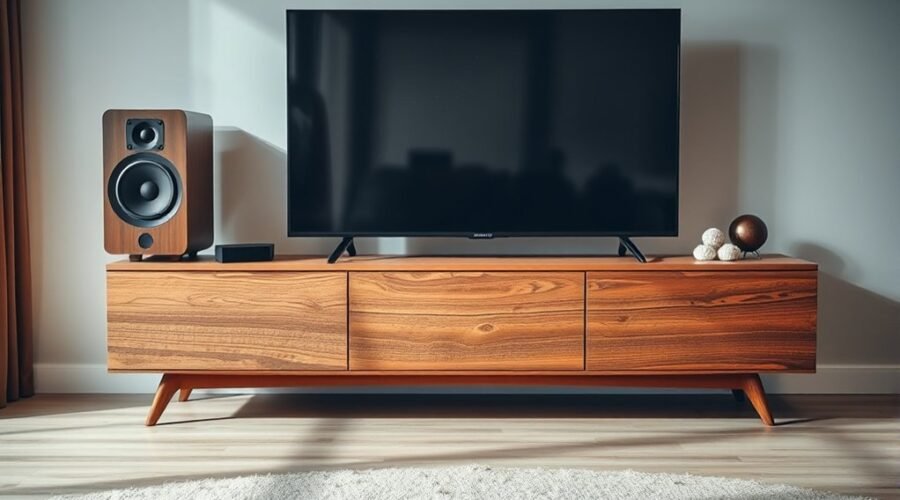
A TV stand usually vibrates or rattles with loud sound because bass energy is making a loose or flexible part move. The source may be the stand, the TV speakers, a soundbar or subwoofer, a cable touching the furniture, or an accessory sitting on a shelf. Start with simple isolation tests before tightening, padding, or moving anything.
Quick Answer
A TV stand vibrates with loud sound when bass or speaker movement transfers into shelves, panels, hardware, cables, or accessories. Lower the volume, remove loose objects, level the stand, tighten accessible fasteners with the TV unplugged, and add thin rubber or felt isolation pads. If the TV itself buzzes, test its speakers and software separately.
Key Takeaways
- Bass can excite loose screws, thin panels, shelves, cables, decorations, and the TV cabinet itself.
- Test one variable at a time so you know whether the noise comes from the stand, TV, or an external device.
- Thin rubber or felt pads can reduce vibration, but they must not make the television unstable or block ventilation.
- Some 2022 Samsung QN700B, QN800B, QN900B, and QN95B TVs have documented speaker-vibration guidance from Samsung.
- A wobbling TV or stand is also a safety concern, so use proper furniture and anti-tip protection where appropriate.
At a Glance
| Time Required | About 15–30 minutes for basic diagnosis |
| Difficulty | Easy for basic checks; get help before moving a large TV |
| Tools Needed | Screwdriver that matches the hardware, level, flashlight, and optional felt or rubber pads |
| Cost | Usually low for basic padding or hardware; professional TV service or furniture repair varies |
Warning: Turn the TV off and unplug it before moving it, tightening its base, or working around its mounting hardware. Get another adult to help with a large or heavy television. Never use padding that makes the TV unstable, blocks ventilation, or changes how the manufacturer’s base is meant to support the set. The U.S. Consumer Product Safety Commission also recommends securing TVs and heavy furniture against tip-over.
Why a TV Stand Rattles

A TV stand can rattle when vibration from the television, speakers, soundbar, subwoofer, or another connected device travels into the furniture. Bass is especially good at exposing loose or flexible parts because low-frequency sound can make shelves, panels, doors, and accessories move.
Sound energy can couple into panels, shelves, joints, and anything resting on them. A tiny movement that is normally silent can then become an audible buzz, chatter, or knock.
Construction quality matters. Thin panels, lightweight framing, weak joints, or long unsupported shelves usually flex more easily than a rigid, well-braced stand.
An uneven floor can also let one foot of the stand lift or rock slightly. Heavy speakers placed on the same furniture may add another source of vibration, especially when bass output is high.
Loose screws, brackets, fittings, TV-base hardware, doors, handles, and shelf supports can make the problem worse. Cables touching a back panel can rattle too.
When speaker vibration reaches the furniture with little isolation, the stand may act like a sounding board and make a small vibration seem much louder.
The important point is that a rattle does not automatically mean the TV or stand is defective. The first job is to find the exact part that is moving.
What Causes the Buzzing Sound?
A buzzing sound can come from either mechanical vibration or the audio system itself. A mechanical rattle usually changes when a panel, shelf, cable, or loose object moves. Audio distortion or an electronic buzz may instead follow a particular input, speaker, volume level, or device.
Higher volume and strong bass can cause a TV speaker or woofer to excite nearby panels. The effect becomes more noticeable when a part happens to vibrate strongly at the same frequency.
Samsung currently documents a buzzing or vibrating speaker issue that may affect certain 2022 QN700B, QN800B, QN900B, and QN95B TVs. Samsung says the behavior can be related to woofer design, especially at higher volume, and recommends checking for software updates.
External devices can cause a different type of audio problem. A streaming box, game console, HDMI connection, or source setting may produce distorted audio even when the furniture itself is stable. That is why it helps to test more than one source before making a physical repair.
- Listen at a lower volume, then slowly increase it and note when the noise starts.
- Try a different app, channel, HDMI source, or built-in TV source.
- Remove loose items from the stand and keep cables from touching panels.
- If a soundbar or subwoofer sits on the furniture, test it separately or temporarily reduce its bass.
- Check whether the noise remains during the TV’s own speaker or diagnostic test.
Pro Tip: Change only one thing at a time. If you remove every device, tighten every screw, and add padding at once, you may stop the rattle without learning what caused it, making the problem harder to diagnose if it returns.
Is the TV or Stand Causing It?
Finding the vibration source is easier with a controlled test. Start with the safest checks: reduce the volume, remove loose objects, secure cables, and try another audio source.
If the sound continues, listen closely to determine whether it comes from a shelf, cabinet door, television speaker area, TV base, or another component. Do not move a powered television around while trying to reproduce the noise.
The stand should also be checked for loose joints, weak panels, uneven floor contact, and accessories that chatter against one another.
Test TV Stability
First, make sure the TV is sitting exactly as its manufacturer intends, with all feet or base components fully installed and tightened according to the owner’s manual.
Then use this sequence:
- Turn the volume down and check whether the vibration stops.
- Remove remotes, decorations, game controllers, discs, and other loose objects from the stand.
- Move loose cables away from cabinet panels and shelf edges.
- Try another app or external source.
- If the television provides a built-in speaker diagnostic, run it.
- If the same noise occurs during the TV’s own test sound, investigate the TV or its speaker system rather than the external source.
Samsung televisions, for example, provide a Sound Test through the Self Diagnosis menu on supported models. Samsung explains that if the problem occurs during the test, the TV itself may require further troubleshooting or service. If the test sounds normal, a connected device or its connection becomes a stronger suspect.
If you truly need to test the TV on another surface, shut it down and unplug it first. Have another adult help with a large set, and place it only on a stable surface suitable for its size and weight before reconnecting it.
Inspect Stand Construction
Once the TV is no longer the only suspect, inspect the stand. Start with accessible screws, brackets, hinges, handles, shelf pins, panel seams, and feet.
Thin or low-density panels may flex under bass energy. A long shelf can also resonate even when its fasteners are tight.
Use a level to check the furniture in both directions. If one foot does not make firm contact with the floor, correct the stand according to the furniture manufacturer’s instructions rather than wedging the TV itself unevenly.
Check hollow compartments for loose objects and cables. A game console, set-top box, router, external drive, or power strip can vibrate against a shelf or rear panel even when the stand frame is solid.
If a soundbar or speaker sits directly on the stand, its cabinet may transfer vibration into the furniture. Thin, stable isolation pads designed for the device can reduce that mechanical coupling.
Quick Fixes for TV Stand Rattle
Simple checks often solve a TV stand rattle without major repairs. Begin with every point where the TV, speakers, accessories, cables, shelves, and furniture touch one another.
A rattle that sounds serious may come from something as small as a cable tapping a rear panel or a loose shelf pin vibrating during bass-heavy audio.
- Remove loose objects. Clear the stand temporarily and retest the same audio.
- Control cables. Keep HDMI, power, antenna, and speaker cables from tapping cabinet panels.
- Check the floor contact. Make sure the stand does not rock.
- Tighten accessible furniture fasteners. Follow the furniture instructions and avoid overtightening particleboard or plastic parts.
- Check the TV base safely. Turn the TV off and unplug it before touching or tightening its base hardware.
- Add thin isolation material. Felt or rubber can help beneath suitable components if it does not reduce stability or cover vents.
- Test speakers separately. Reduce soundbar or subwoofer bass temporarily to see whether the furniture vibration changes.
These tests help distinguish looseness, resonance, direct surface contact, speaker vibration, and source-related audio problems without making unnecessary permanent modifications.
How to Add Padding Under the TV
Padding can reduce vibration between a TV base and a stand, but stability comes first. Do not place soft material under a television simply because it absorbs vibration.
Suitable materials may include thin, dense felt or non-slip rubber that stays flat under load. Avoid thick, springy foam that lets the television rock.
Any padding should support the intended contact area evenly. It should not tilt individual feet, interfere with a center pedestal, cover a ventilation opening, obstruct a speaker, or change the way the manufacturer designed the base to carry the TV.
Measure the contact area before cutting material. Keep the pad inside the base footprint so it cannot catch on objects or create an unstable edge.
For devices such as a soundbar, game console, media player, or speaker, rubber feet or a thin isolation layer can also stop hard surfaces from chattering against the shelf.
Note: Padding is a vibration-control tool, not a substitute for repairing a loose or damaged stand. If the furniture itself rocks, flexes excessively, or has damaged joints, correct the structural problem first.
Can a TV Update Fix the Buzzing?
A software update can help with some television-specific audio problems, but it cannot repair a loose shelf, unstable stand, damaged bracket, or rattling cable.
Samsung currently advises checking for software updates when certain 2022 QN700B, QN800B, QN900B, and QN95B models develop speaker buzzing or vibration. The company’s support guidance says the behavior may be associated with the woofer design and can be more noticeable at high volume.
On current Samsung U.S. guidance, the usual update path is Settings → All Settings → Support → Software Update → Update Now. Menu names can differ by model, software version, and region, so use the TV’s manual or support page if your menus look different. Samsung’s current software-update instructions also explain automatic and USB update options.
If the television is already current and the same buzz occurs during its built-in Sound Test, contact the manufacturer or an authorized service provider rather than repeatedly changing the stand.
Update Benefits
Software updates can correct firmware bugs, change audio processing, and deliver manufacturer fixes for known behavior. They are therefore a sensible troubleshooting step when the noise is clearly coming from the TV rather than the furniture.
- Updates may correct known model-specific audio behavior.
- Audio-processing changes may reduce speaker-related vibration in affected cases.
- Update availability can vary by model and region.
- An update cannot tighten loose hardware or repair physical furniture damage.
Keep the TV on a current manufacturer-supported software version, but do not treat an update as a guaranteed cure. Persistent mechanical noise still needs physical diagnosis.
When To Contact Support
Contact support when the television itself continues to buzz or rattle after basic source checks, a Sound Test, and any available software update.
Service is especially appropriate if the noise occurs through the TV’s built-in diagnostic sound, is getting worse, appears at moderate volume, or is accompanied by distorted speakers, unexpected shutdowns, overheating, a burning smell, or other abnormal behavior.
For the Samsung models discussed above, Samsung recommends contacting support when the vibration persists after updating or when an appropriate update is not available for the model or region.
Do not open the television cabinet, apply expanding foam inside it, tape internal speakers, or make other internal modifications unless the work is performed according to manufacturer service procedures by a qualified technician.
How to Stop the Rattle From Coming Back
Preventing another rattle is mostly about keeping the setup stable and stopping parts from loosening or touching one another.
- Check accessible stand fasteners periodically and tighten them only as the furniture manufacturer specifies.
- Replace worn or compressed felt and rubber pads when they stop gripping properly.
- Keep cables secured so they cannot tap against cabinet panels.
- Keep heavy equipment low and positioned within the furniture’s rated load and placement instructions.
- Use proper structural brackets or replacement hardware if the stand itself has weakened.
- Avoid permanent fillers such as expanding foam as a general vibration fix; use removable damping or proper repair instead.
Wear, repeated movement, floor changes, and heavy equipment can gradually reduce rigidity. A quick inspection when cleaning or rearranging the entertainment area can catch loose hardware before it becomes noisy.
Safety matters as much as sound. The U.S. Consumer Product Safety Commission recommends securing TVs and heavy furniture against tip-over. It also advises using a sturdy, low base, positioning the TV back from the edge, and controlling accessible cables.
Frequently Asked Questions
How to Fix a Wobbly TV Stand?
Start by making sure the stand is on a flat, rigid surface and that all feet contact the floor. Remove the TV safely before making structural repairs when the furniture instructions require it. Tighten loose furniture fasteners, replace damaged hardware, and correct failed joints or panels. Do not rely on soft padding to stabilize furniture that is structurally loose. Keep heavy equipment low and centered, follow the stand’s load limits, and use appropriate anti-tip hardware.
Why Does My TV Sound Rattle?
A TV can rattle when bass makes its speaker, back panel, bezel, base, or another nearby surface vibrate. Loose hardware can contribute, but speaker distortion or a connected audio source can sound similar. Try another source, reduce the bass or volume, remove nearby objects, and use the TV’s built-in Sound Test if available. If the noise occurs during that test, the television itself deserves closer diagnosis.
What Are the Signs That Your TV Is Going Bad?
Recurring screen flicker, discoloration, image artifacts, distorted speakers, random shutdowns, overheating, or ports that repeatedly fail can justify troubleshooting or professional service. None of these symptoms alone proves that the entire TV is at the end of its life. Check cables, sources, settings, ventilation, software, and built-in diagnostic tests first. Stop using the TV and seek service promptly if you notice smoke, a burning smell, severe overheating, or visible electrical damage.
Are TV Stands Supposed to Wobble?
No. A TV stand should sit firmly on its intended surface without rocking during normal use. Wobbling can come from an uneven floor, incorrectly adjusted feet, loose fasteners, damaged joints, excessive load, or unsuitable furniture. Correct the instability instead of using the TV’s weight to hold the stand still, and follow appropriate anti-tip instructions for both the television and furniture.
Conclusion
When bass-heavy sound makes a TV stand buzz or rattle, the cause is usually a moving contact point: a loose panel, shelf, screw, cable, accessory, speaker, or TV base. Start by isolating the source instead of immediately modifying the furniture. Remove loose objects, control cables, level the stand, tighten appropriate hardware safely, and use thin vibration isolation only where it will not reduce stability.
If the sound comes from the television itself, use its diagnostic tools and install available manufacturer updates before arranging service. A stable, properly supported, and appropriately anchored TV setup should remain quiet during normal use while also reducing avoidable tip-over risk.
Sources
- Samsung Support — Fix buzzing or vibrating sound from TV speakers — identifies affected 2022 QN700B, QN800B, QN900B, and QN95B models and Samsung’s troubleshooting guidance.
- Samsung Support — Update the software on your Samsung TV — current software-update and Auto Update instructions.
- Samsung Support — Samsung TV Sound Test and self-diagnosis — explains how the built-in Sound Test can help isolate TV-speaker problems from external-device issues.
- U.S. Consumer Product Safety Commission — 2026 TV and furniture tip-over guidance — supports anchoring TVs and furniture, using a sturdy low base, and keeping cords controlled.